 ScopeRate
Start with the 32-second tour
A sequence of the approved fictional-data screens, with gentle motion. It is not a recording of taps or a real customer project.
Fictional demonstration data. The deck image is AI-generated; it is not a real contractor portfolio.
Five stops, five minutes
Use these demonstration screens or your own fictional figures. No live client information or purchase is needed for the walkthrough. Select any screenshot to open its full-size view.
-
 1 · 0:00-1:15
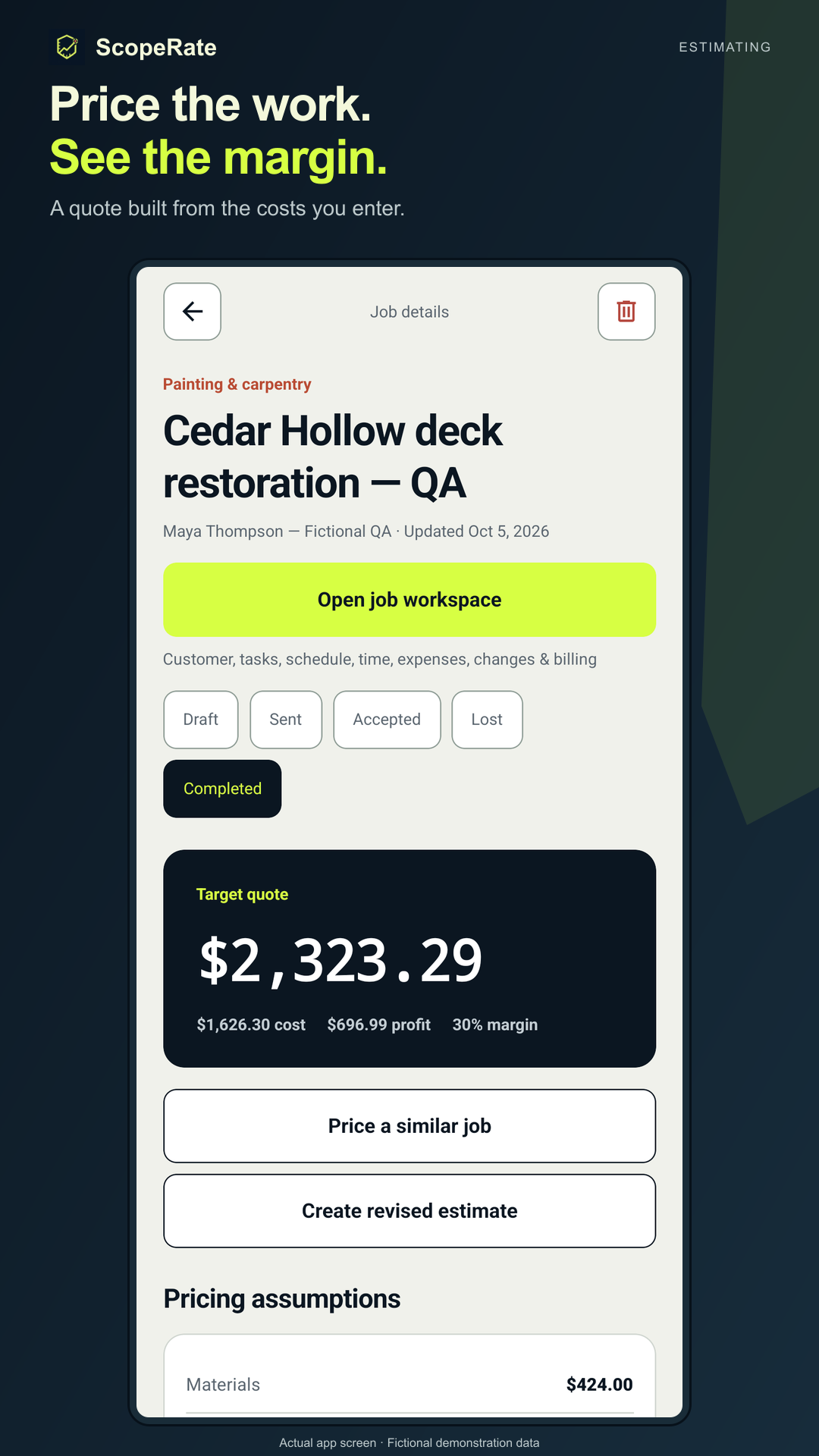
Build the price from your costs
Enter materials, true labor cost, subcontractors, overhead and contingency. Compare floor, target and premium quote options.
- The target quote follows the assumptions you enter.
- Review the cost inputs before sending a quote.
Ask: “Have I included labor and overhead, not just materials?”
ScopeRate does not discover local market rates or guarantee a profit.
-
 2 · 1:15-2:15
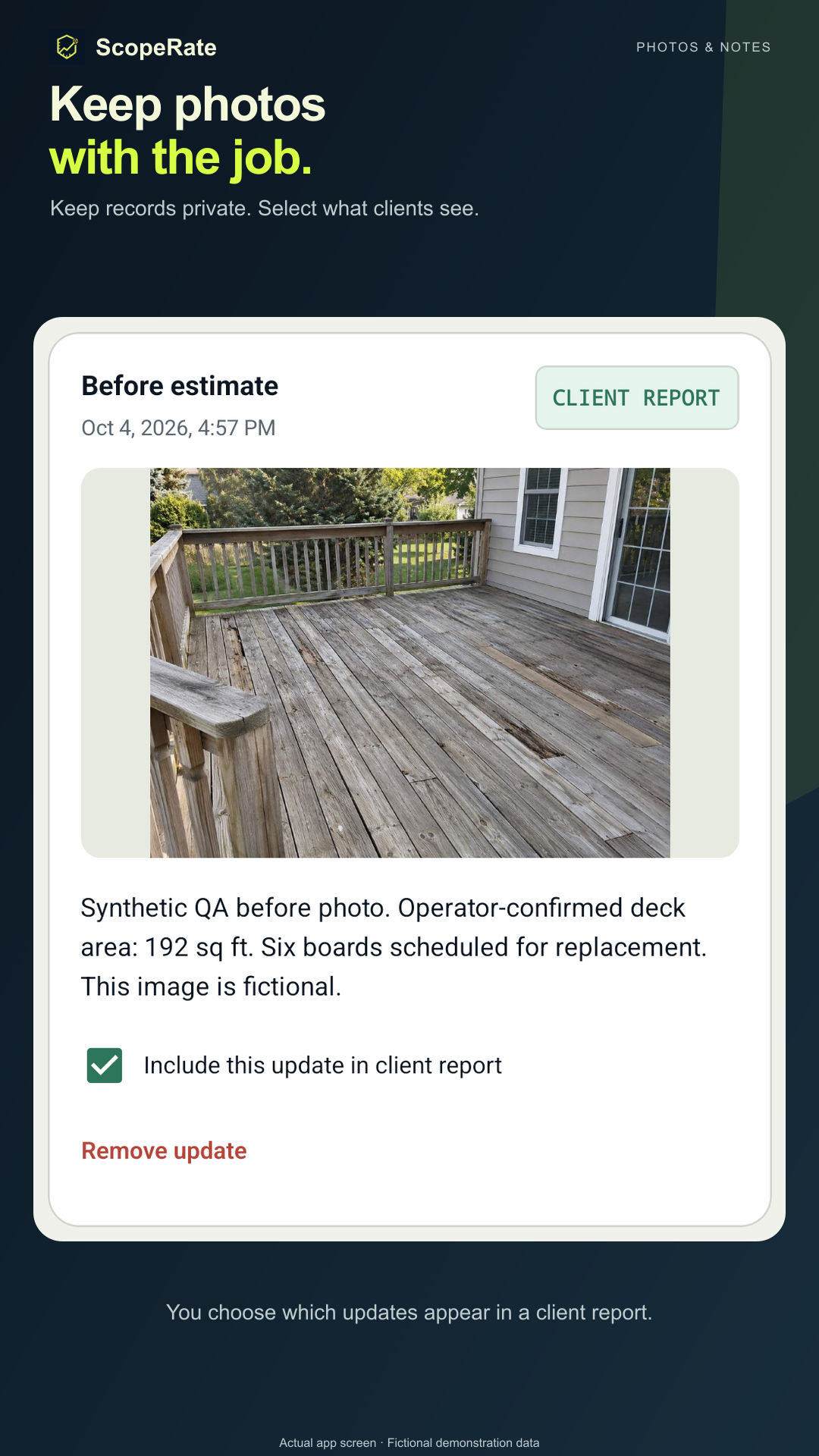
Keep photos and notes with the job
Record before, progress, completed-work and change updates. A photo can support your estimate or document the work you observed.
- New updates start private.
- Choose explicitly which updates belong in a client report.
Ask: “Which information should the customer see?”
Photos do not create automatic measurements, prices or AI estimates.
-
 3 · 2:15-3:15
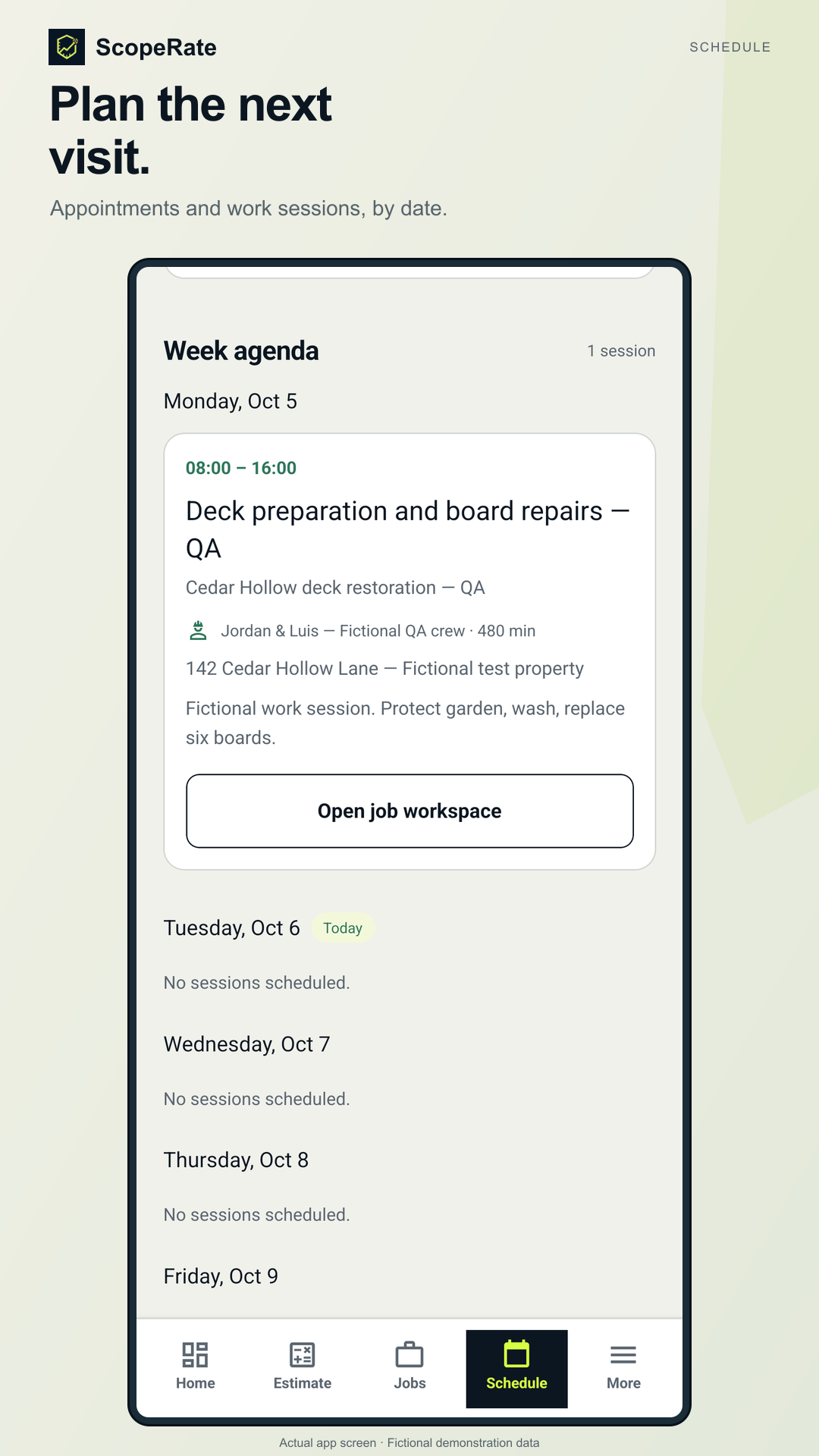
Record the next visit
Keep appointments, tasks and customer contact details alongside the project, then review the local agenda.
- Record dates, times and an assignee label.
- Keep the address and purpose with the job.
Ask: “What happens next, and when?”
Assignee labels are local records; they do not create shared crew accounts or send a booking.
-
 4 · 3:15-4:00
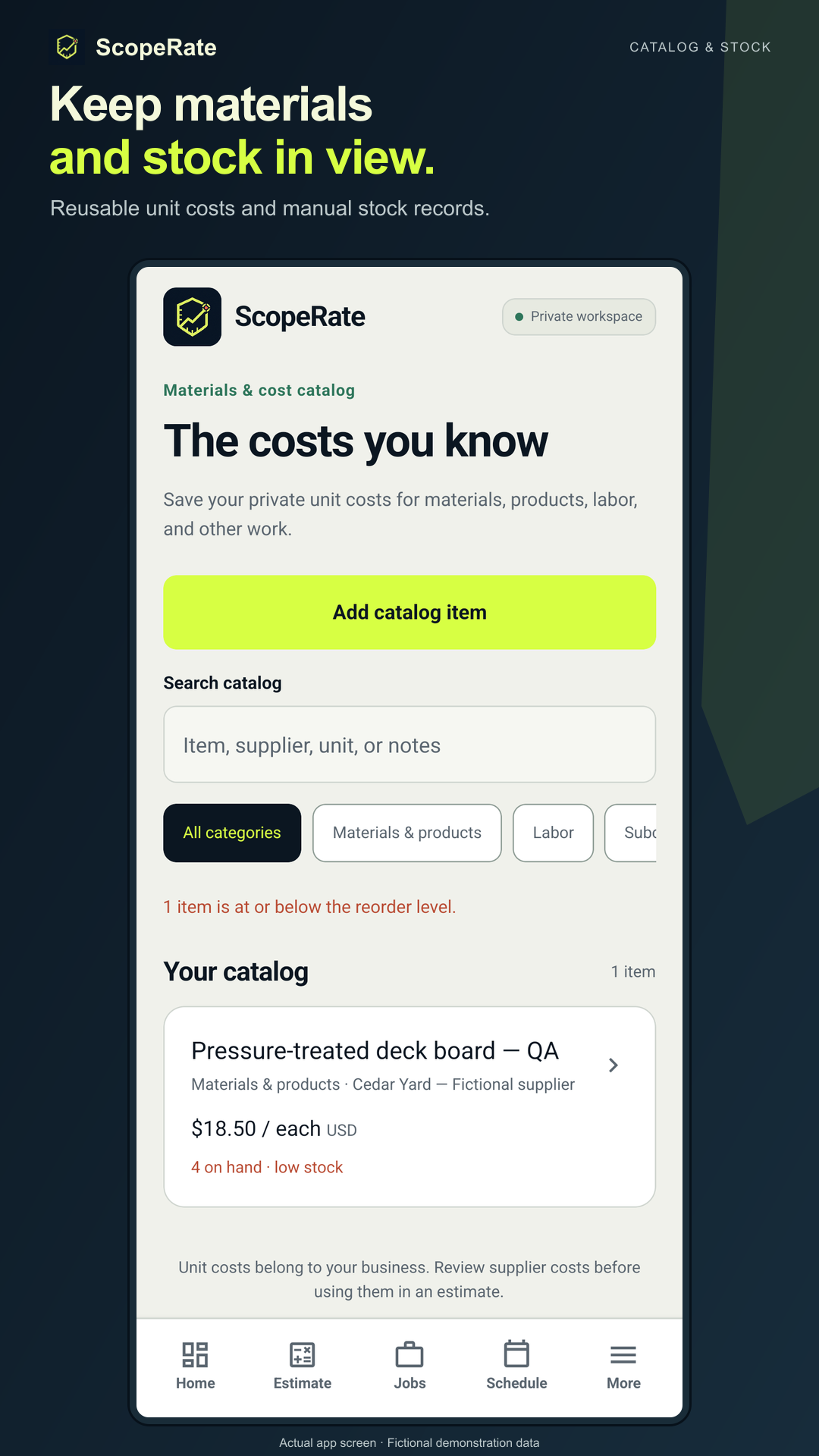
Reuse materials and cost records
Keep reusable unit costs and, when useful, manually record stock adjustments and their reasons.
- Review the catalog before building the next estimate.
- Stock changes are explicit records, not inferred purchases.
Ask: “What do I already have, and what cost am I using?”
The app does not automatically order supplies or deduct stock when you quote.
-
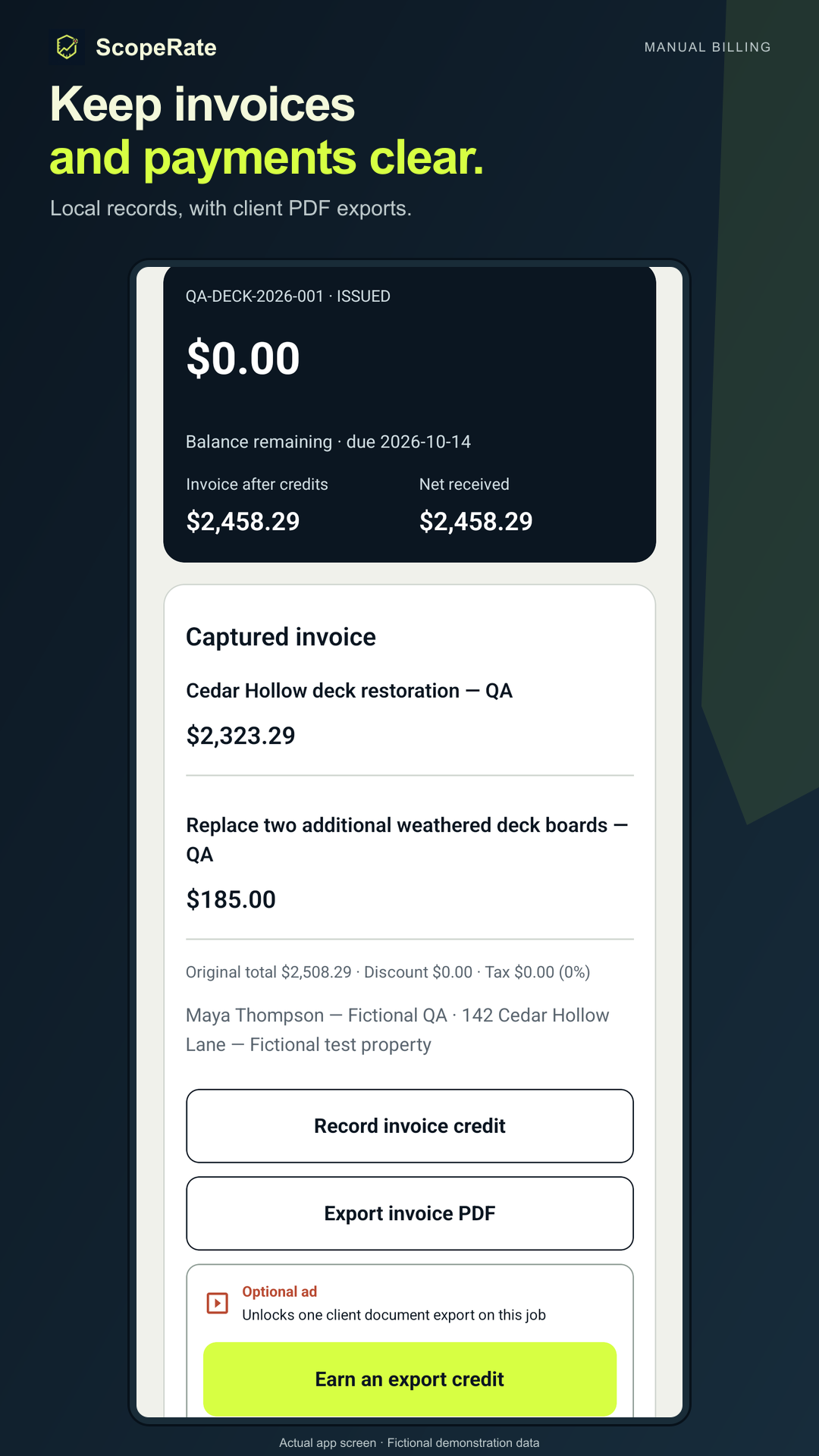 5 · 4:00-5:00
Keep a clear billing record
Capture the agreed invoice and record payments, credits or refunds manually. Export a client document when access is available.
- Review the captured invoice and recorded balance.
- Export a local backup before ending the demo.
Ask: “Does this record match what actually happened?”
ScopeRate records billing activity. It does not collect client money or issue a refund.
Try free quick pricing on Android
Download or update
On your Android device, open the production Google Play listing for ScopeRate and choose Install or Update if offered. Keep an existing installation and its records; a reinstall is not needed for this demo.
Start with fictional figures
Use Estimate for a quick price check. Core pricing is free and normal calculator use does not require an ad. Saved-job capacity and client PDF exports have access limits. Camera or photo access is optional for this pricing walkthrough.
Optional Pro
Monthly and annual Pro subscriptions are optional. Review the localized price, billing period and terms shown by Google Play before any purchase. Manage or cancel an existing subscription through Google Play. Optional rewarded ads depend on availability.
Keep your records
The workspace is stored locally. Use Settings to export a backup to somewhere you control; backups can include private job records. No ScopeRate account is needed for the local workspace.
For a download or app question: hello@mewrcreate.com. Include your Android version and a short description; avoid sending private customer details.
A short referral you can reuse
“If you quote your own jobs, ScopeRate is an Android tool for turning your entered costs into quote options and keeping the job record. Free quick pricing is available, with optional Pro subscriptions. This demo shows fictional data.”
Public website · Product resources · Existing one-page handout
Authentic ScopeRate 1.2 Android screens; fictional project data and image. This is a read-only demonstration page. It does not create app records, submit a quote, send a message, place an order or initiate a purchase.